Shutdown7

v2.4.1

Shutdown smarter.

Timers, power actions, remote control, jumplist shortcuts, a music fade-out for bedtime — all in one compact window that stays out of your way until you need it.

Actively maintained for Windows. Updates are infrequent.

  • Installer or portable build
  • Windows 7 → 11
  • English & Deutsch
Shutdown7 main window on Windows 11

What it does

One window. All the control.

From a simple timed shutdown to scripted remote actions — without the bloat of a full system-management suite.

  • Simple, compact, handy

    With a compact but feature-rich interface you can automate everything around turning off your computer in a straightforward way.

  • Remote access

    Control your computer over the internet. Easily send commands from a different computer, the web or from your smartphone. Of course password-protected.

  • Sleep well

    Play your favorite music while you fall asleep, or schedule the machine to wake up to your favorite radio station and today's news.

  • Windows integration

    Send your computer to sleep in only two clicks using the jumplist. Keep the countdown visible in the taskbar or systray.

  • Android companion

    There was a companion app that turned your phone into a remote control. It is no longer on the Play Store, but the desktop remote-access feature it relied on still works.

  • Command-line control

    Automate from scripts, batch files, or Task Scheduler: switches for timeouts, remote host, port, and password — the same power actions as the window, without clicking.

A closer look

The parts people use most.

Schedule

Schedule with ease

In three simple steps you can set up a shutdown timer: choose the action (including shutdown, restart, or launching a program), choose the condition (countdown, time, process closed, file gone, and more), then start and lean back.

  • Six built-in power actions plus “launch any .exe”
  • Conditions including process exit, file gone, idle time
  • Built-in updater, command-line interface, no installer required
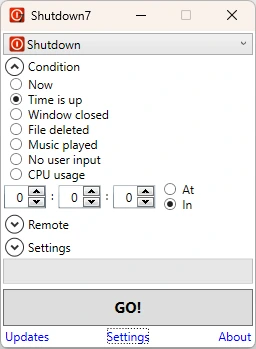
Shutdown7 main scheduling window on Windows 11

Footprint

Simple, compact, handy

Everything lives in one compact window. The CPU and memory footprint stay low, and on first launch a short assistant walks you through setup and what’s new in this release.

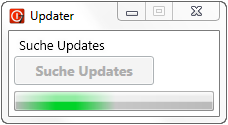
Shutdown7 update notification
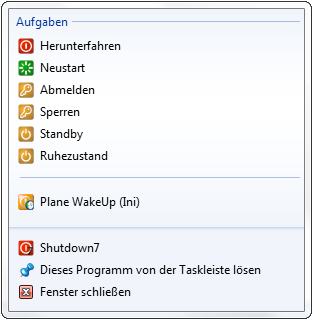
Windows taskbar jumplist with Shutdown7 actions

Integrate

Lives in your Windows

The “7” in the name stands for the broad support of APIs introduced in Windows 7 that fold Shutdown7 into your workspace: jumplist shortcuts, taskbar icon with countdown progress, and optional systray so it stays out of the way until you need it.

Remote

Remote control from everywhere

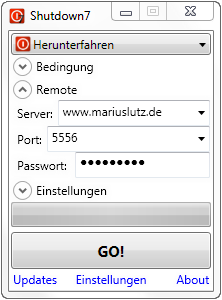
Control your PC from another computer or a browser — schedule a countdown, check status, or abort the current action from anywhere, protected by a password you set.

Shutdown7 remote control panel
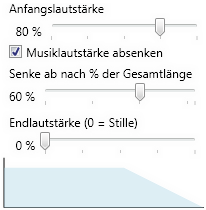
Music fade-out settings

Sleep

Fall asleep more relaxed…

Play music until you drift off without leaving the PC on all night: pick your tracks or an audiobook and Shutdown7 waits until playback finishes, then shuts down. You can fade out the volume and turn off the screen, too.

…and wake up refreshed: with WOSB you can wake the machine the next morning and open your player, a radio stream, or a news reader.

Android

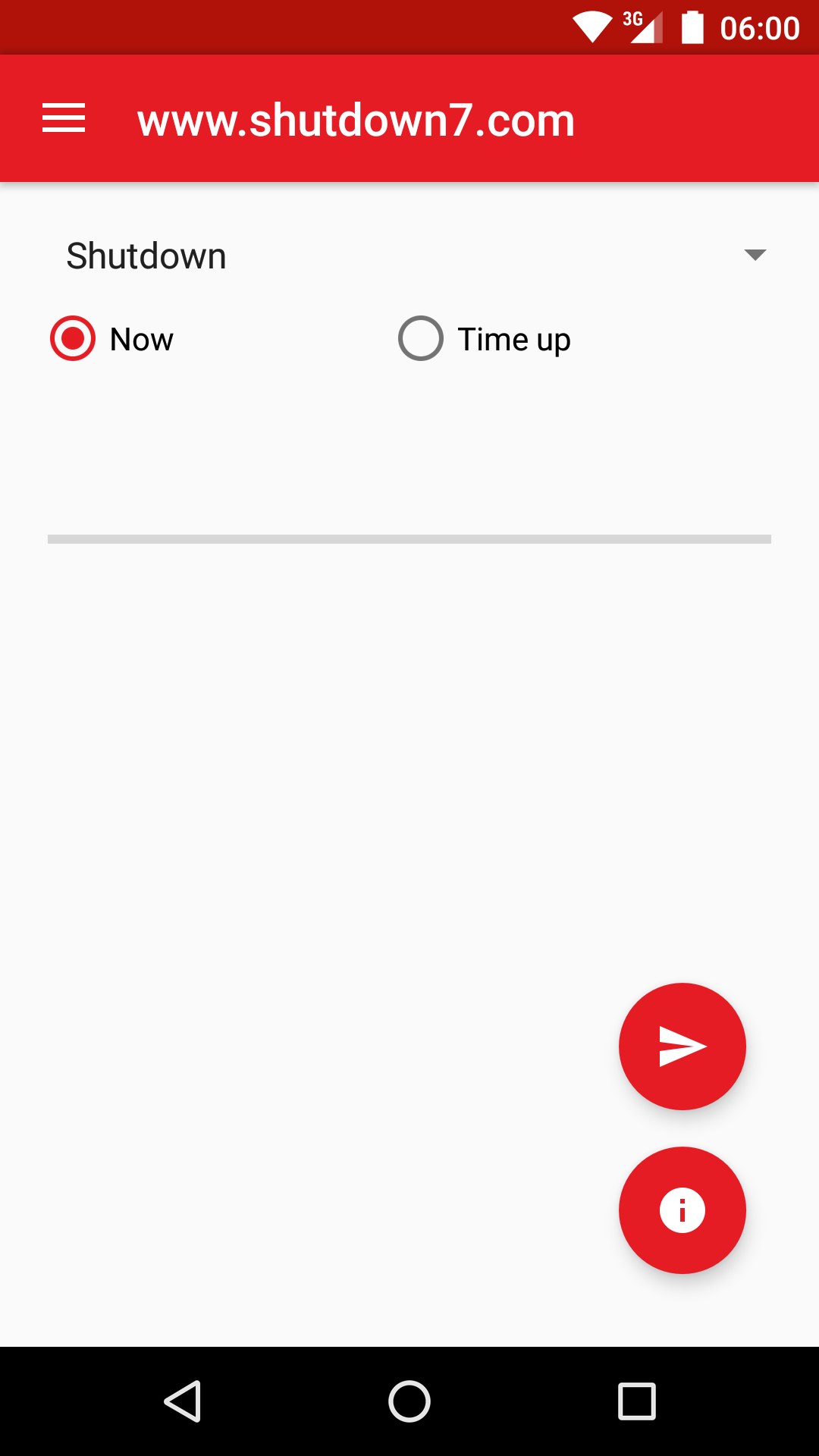
Shutdown7 for Android

There was once a companion app for Android that let you shut down or restart the PC from your phone over the internet. It is no longer on the Play Store. If you still have it installed, the Windows remote-access server may still accept connections.

Ready to shut down smarter?

Install takes under a minute. Your first timer takes ten seconds.

Changelog

  1. v2.4.1

    • Absolute time for command-line calls
    • Jump List CLI fix
  2. v2.4

    • .NET 4.5
    • Resume last job
    • Bootstrap Web UI
    • Accurate timer
    • Instant countdown start
    • Jump List & CLI fixes
  3. v2.3.3

    • Systray bugfix
  4. v2.3.2

    • New setting: Remember window position
    • Systray reliability
  5. v2.3.1

    • UAC prompt shown at startup
  6. v2.3

    • Remote shutdown via command line
    • More Web UI modes and conditions
  7. v2.2

    • New mode: Android Reboot (Beta)
    • New condition: CPU usage
  8. v2.1.2

    • Bugfixes
  9. v2.1.1

    • Systray improvements
    • Fix: Countdown not stopping after abort
  10. v2.1

    • Stay active after action
    • Windows 8 hybrid sleep
    • Minimise on autostart
  11. v2.0

    • New Web UI (Beta)
    • Bugfixes
  12. v1.9

    • Icon update
    • Music fade-out improvements
    • Local Web UI improvements
  13. v1.8.1

    • Bugfixes
  14. v1.8

    • WOSB profiles (unlimited wake times, profile manager)
    • New Web UI
    • XML format
  15. v1.7

    • New icons
    • Welcome screen
    • Launch program mode
    • Immediate execute
    • Fade-out volume controls
    • WOSB settings in UI
    • Web UI improvements
  16. v1.6

    • New condition: Idle time
    • Playlist support (m3u, wpl, xspf)
    • Timer and process fixes
  17. v1.5.1

    • Fix: Crash on message dialog
  18. v1.5

    • New conditions: process closed, file deleted, music played
    • Music fade-out
    • Turn off screen
    • Windows 7 dialogs
    • Web UI cancel
  19. v1.4.3

    • Wake on LAN (Beta)
    • Fix: Updater crash without internet
  20. v1.4.2

    • Fix: Remote client password field
    • Autostart/systray minimise fix
    • Duplicate instance parameters
  21. v1.4.1

    • Fix: Windows XP settings crash
    • Updater fix
  22. v1.4

    • Remote shutdown
    • Web UI
    • Port-forward test
    • Auto-updater
    • Web help [F1]
  23. v1.3

    • Renamed to Shutdown7
    • WPF rewrite
    • Scheduled time
    • Jumplist & ThumbnailToolbar (Win7)
    • Overlay icon
    • Pacman easter egg
  24. v1.2

    • Aero Glass
    • WOSB integration
    • UAC improvements
  25. v1.1

    • Installer
    • Systray
    • Autostart
    • Balloon tips
  26. v1.0

    • Initial Release